Installation
Automatische Installation (empfohlen)
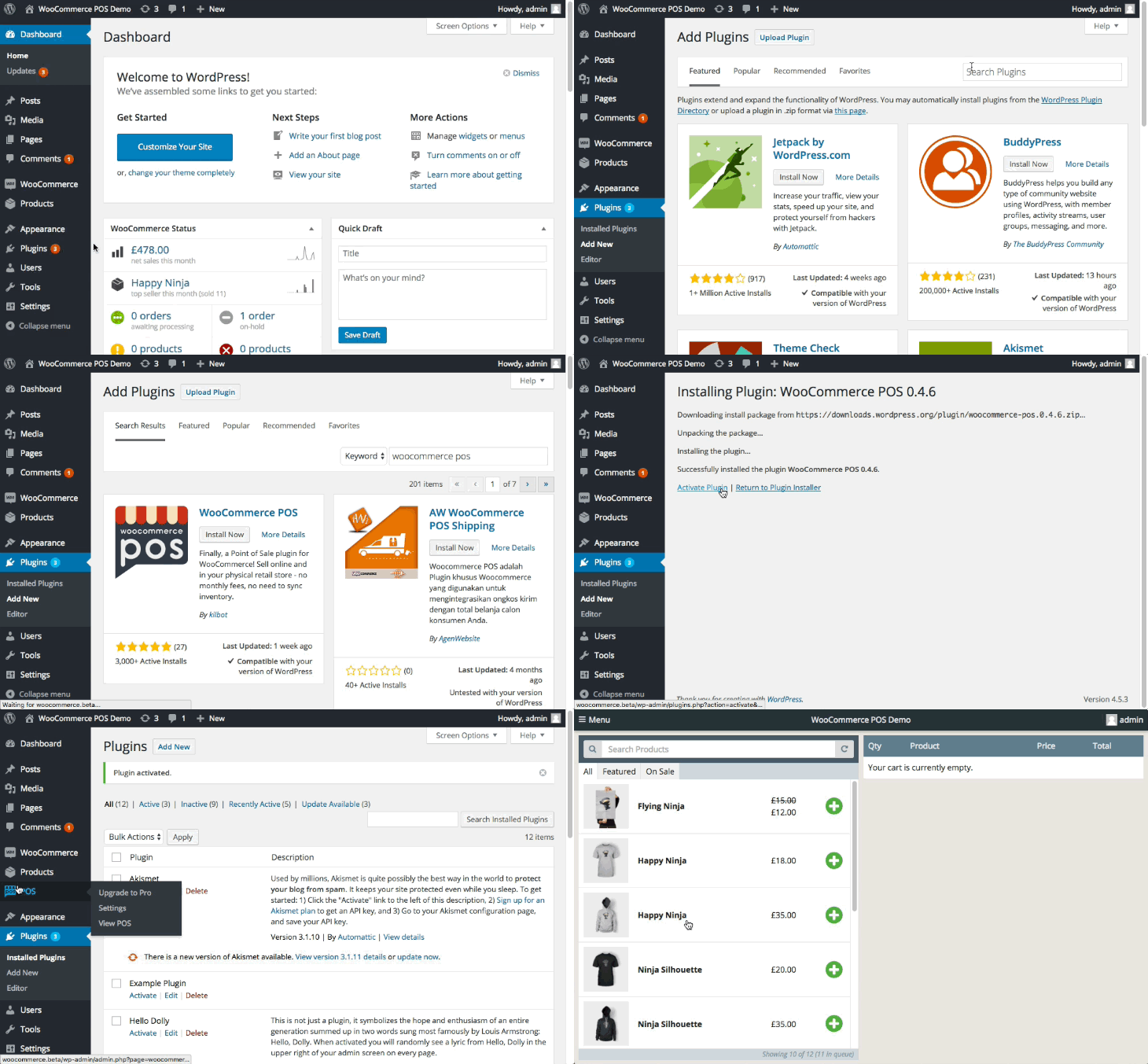
- Gehen Sie zu
WP Admin > Plugins > Neu hinzufügen - Suchen Sie nach
WCPOSim WordPress-Plugin-Verzeichnis - Installieren Sie das Plugin
- Aktivieren Sie das Plugin
Manuelle Installation
- WCPOS herunterladen von WordPress.org
- Gehen Sie zu
WP Admin > Plugins > Neu hinzufügen > Plugin hochladen - Aktivieren Sie das Plugin
Information
Frühere Versionen von WCPOS finden Sie unter dem Tab Developers auf WordPress.org.